Invoices and getting paid
Create an invoice
Go to Invoices and choose New invoice, or convert an accepted quote. The form
is the same as a quote's, with an optional Due date in place of a validity date. Create draft
saves it. Invoices are numbered I-YYYYMM-NNNN, starting again each month.
Your plan may cap how many invoices you create each month. Every invoice created in the month counts, whatever happens to it afterwards.
Send it
Send an invoice the same ways as a quote: Send by email, a shared link, or Download PDF. Sending it by email, or choosing Mark as sent, moves a draft to sent.
Once an invoice isn't a draft any more, its lines and amounts are locked. To change one, choose Mark canceled and issue a new invoice.
Where an invoice stands
- Draft — not sent yet. You can still edit it.
- Sent — waiting for payment.
- Partial — part of it has been paid.
- Paid — nothing is left to pay.
- Overdue — past its due date and not fully paid. Leeram checks every night, and emails your customer one reminder.
- Canceled or Refunded.
Getting paid online
When online payments are on for your business (see Settings), your customer's invoice page shows a Pay now form while there is something left to pay. Your customer enters their mobile phone number with its country code, pays the amount shown, and finishes on the secure checkout page, by mobile money or card. Once the payment is confirmed, it appears on the invoice.
Pay now charges the whole balance, even when the invoice shows a deposit.
Recording a payment yourself
For cash, a bank transfer or anything else, open the invoice and choose Record payment: the amount, how it was paid, the date, and an optional reference and note. Record payment is there on sent, partial and overdue invoices with a balance left, so mark a draft as sent first.
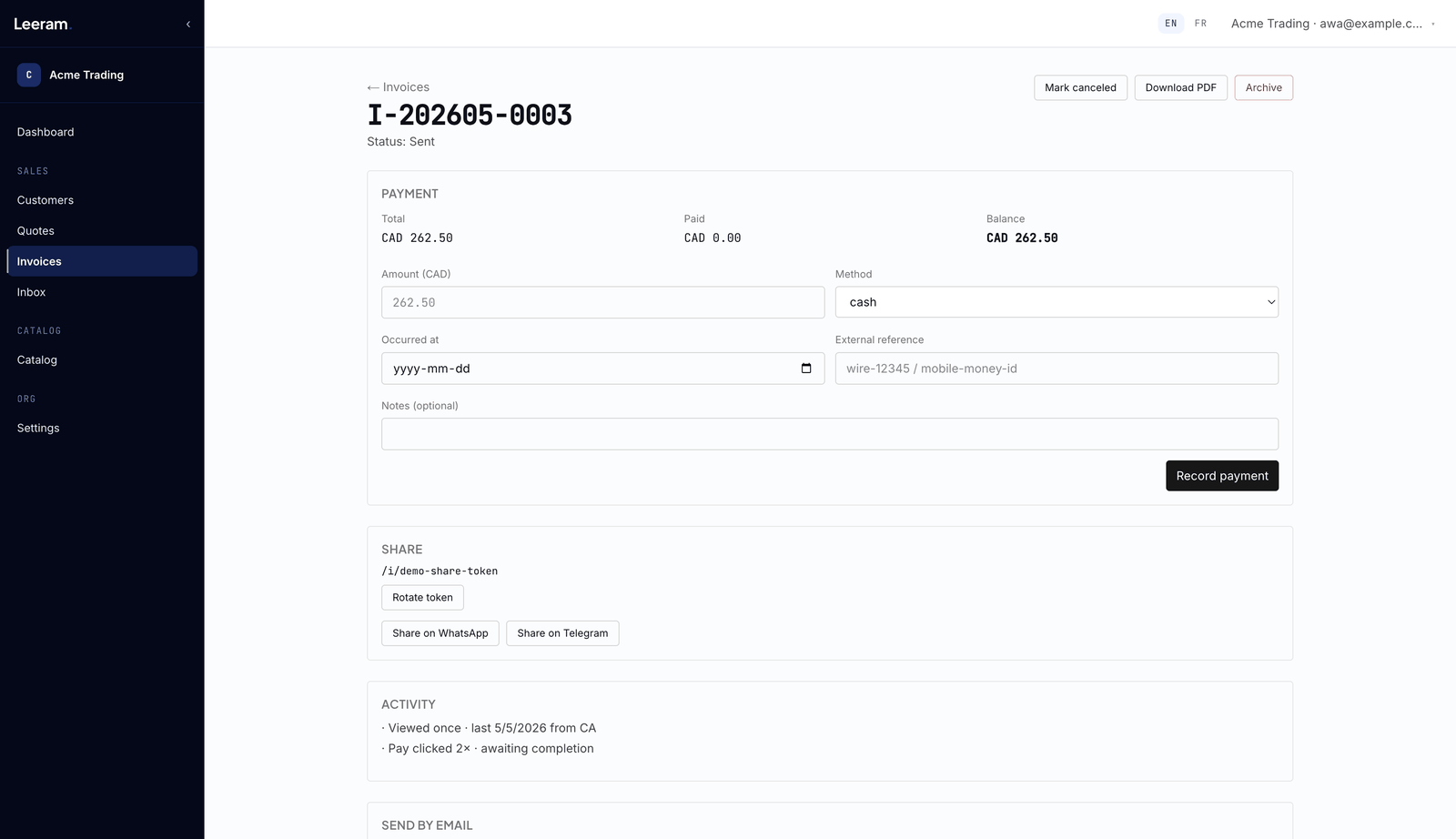
Each payment appears on the invoice with a Refund link. The invoice's status follows its payments.
Recurring invoices
Tick Make recurring to save an invoice as a template, then choose Monthly, Quarterly or Yearly and the first date. Every night Leeram creates a draft from each template that's due, for you to check and send. Untick it to stop.
A template itself is never sent and can't be paid. Each draft it creates counts toward your monthly invoice limit.