Your store
Your store is a public page for your business: your catalog, how to reach you, and a way to order.
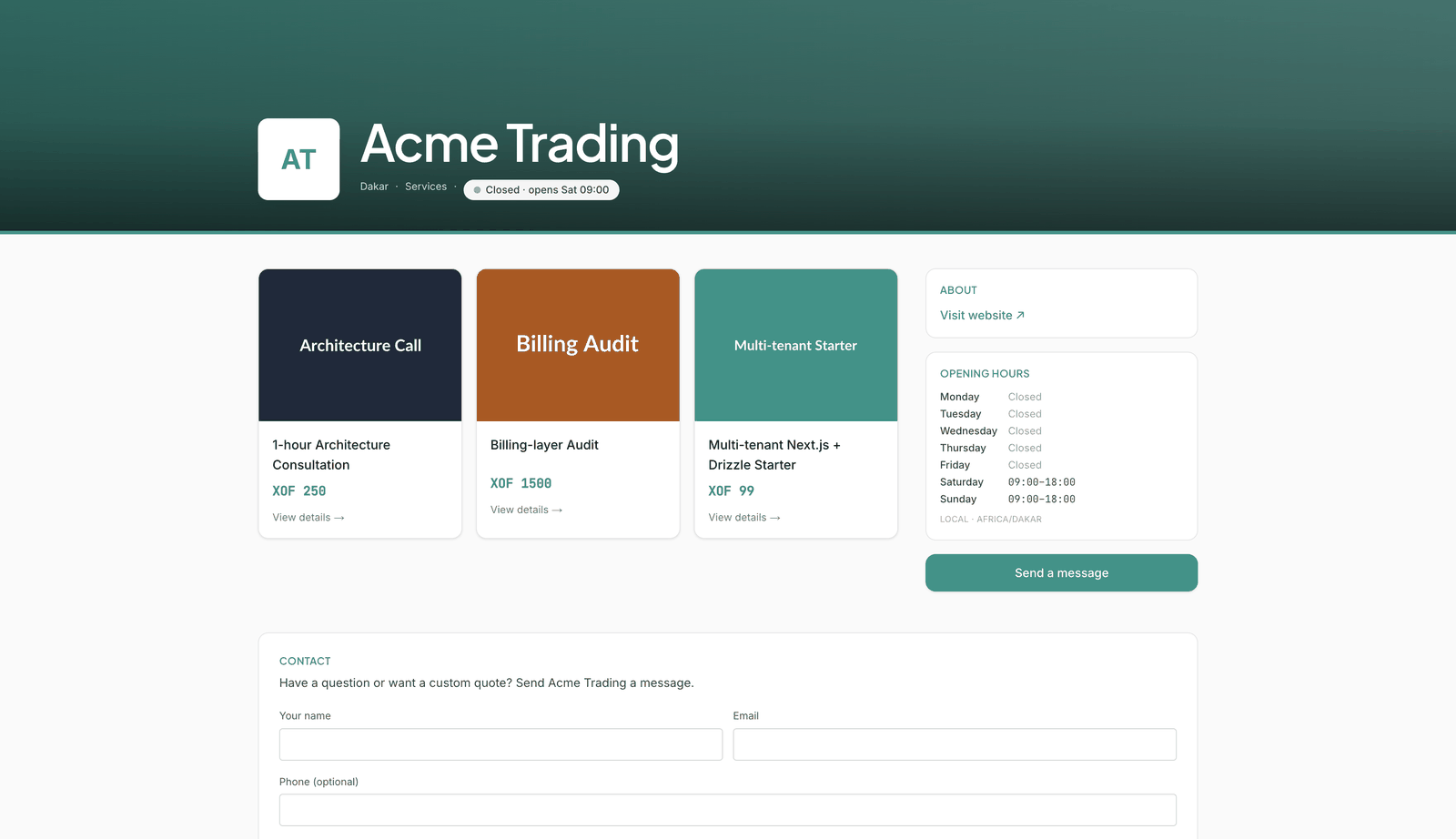
Make it public
Two things publish your store:
- Your plan includes a public store.
- You've chosen a business category in Settings, under Branding.
The top of the Catalog page shows where you stand: locked by your plan, waiting for a category, or live, with its address and Open ↗ and Copy link.
Your store lives at /store/ followed by your business's web address. Once you've set up a domain
for it in Settings, it's at that domain instead.
What customers see
Your name, logo, tagline, city and category, and whether you're open right now; then every active item in your catalog with its price. Alongside: About, with your address and website, your Opening hours, your photos, and Send a message. All of it comes from your branding settings.
Orders
A customer orders one item at a time. They give their name, email, mobile phone and the quantity, and choose Continue to checkout. Leeram then:
- adds them to your customers, or updates them if their email is already there;
- creates an invoice, already sent, and emails them a link to view and pay it;
- takes the quantity off your stock;
- emails the owner about the new order.
Stock comes off when the order is placed, not when it's paid.
An item can't be ordered while your business has no default currency, or once you've reached your monthly invoice limit.
Messages
Send a message opens a contact form. Messages arrive in your Inbox, and the owner gets an email they can reply to directly.
The store directory
Public stores are listed together at /store. Visitors can search by name, filter by city and
category, or browse on a map. Stores that take online payments are marked Pay online.